
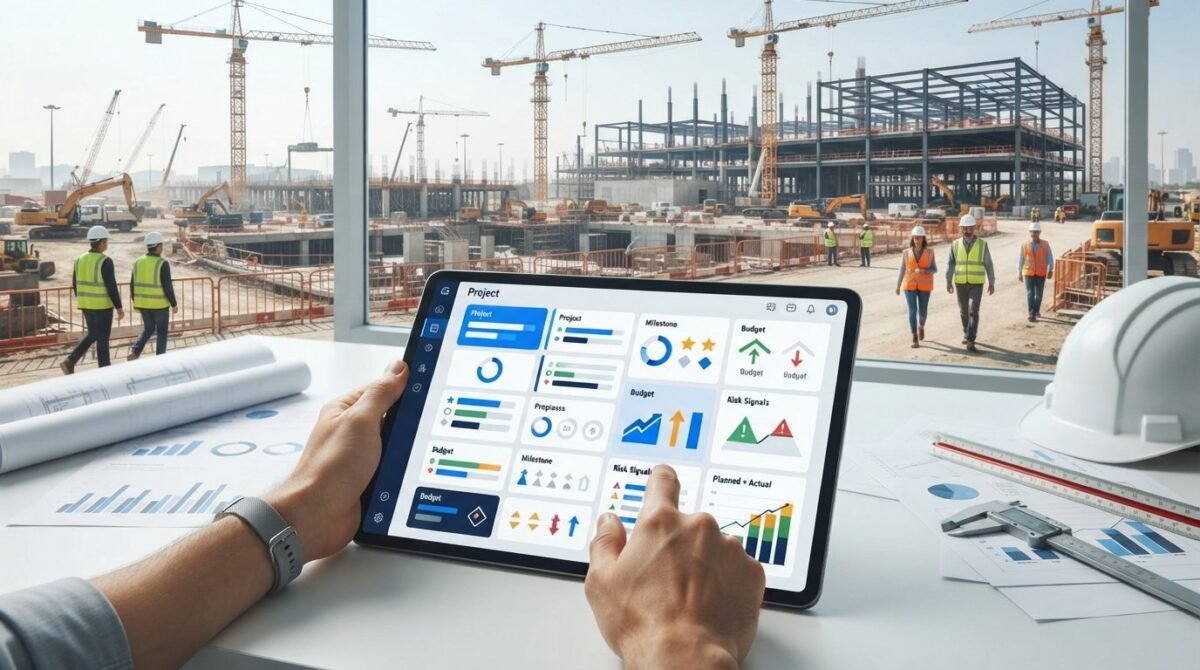
A project’s real status comes into focus when schedule, budget, and field activity are viewed together. A construction project management dashboard brings these measures into one visual summary, showing progress against the baseline, milestone status, task completion, and current risks or issues. It can also compare selected indicators with targets and show how performance changes over time.
Updates can become scattered across reports and spreadsheets, especially when several projects, crews, or equipment needs compete for attention. A dashboard organizes the information so teams can spot variances, identify what needs action, and communicate status clearly. It supports better oversight when its measures are relevant to the project and updated consistently.
This guide explains what a construction project dashboard can show and how to use it to compare project status, schedule progress, labor, equipment, and safety. It also covers how dashboards relate to spreadsheets and reports, which metrics are useful, and how to shape the information into a clear view for project meetings and day-to-day decisions.
Key Takeaways
- Bring delivery, cost, site performance, and scope measures into a clear view to make project status easier to understand.
- Use dashboards for visual summaries, reports for detailed updates, and spreadsheets for organizing and analyzing underlying information.
- Compare planned and actual progress over time to spot schedule variances and focus attention on delayed work.
- Track labor, equipment use, and safety measures together to reveal operational trends that may need follow-up.
- Choose a visual format that fits your needs, from Excel Dashboard Templates for data views to PowerPoint Infographic Templates for presenting project insights.
What is a Construction Project Dashboard?
A construction project dashboard brings delivery, cost, site performance, and scope measures into one visual view. A construction project management dashboard helps teams compare progress with planned milestones and spot issues that need attention.
Delivery and Site Performance Tracking
Track deliveries against the work phases that depend on them. For example, if materials for a concrete pour arrive late, show the delivery status beside the affected task and contractor. This helps teams distinguish a supply delay from an on-site productivity issue.
Use scope and site measures together to understand what reported progress means. A completed task may still require inspection or follow-up before the next activity can begin. Record that distinction in the task status so project leads can see the remaining work instead of treating every completion as final.
Construction KPIs and Milestone Updates
Choose KPIs that connect project objectives with measurable work. Track each indicator’s target, current value, status, and trend over time. The National Institute of Standards and Technology (NIST) notes that dashboards can track deliverables and communicate project status to team members.
For stakeholder updates, show each milestone, its status, and the owner of the next action. For example, a meeting view can identify an upcoming site inspection, or track pre-construction documentation milestones from specialist consultants like ML Traffic Engineers UK for planning applications. A focused summary helps participants discuss decisions using the same project information.
Budget Variance and Scope Changes
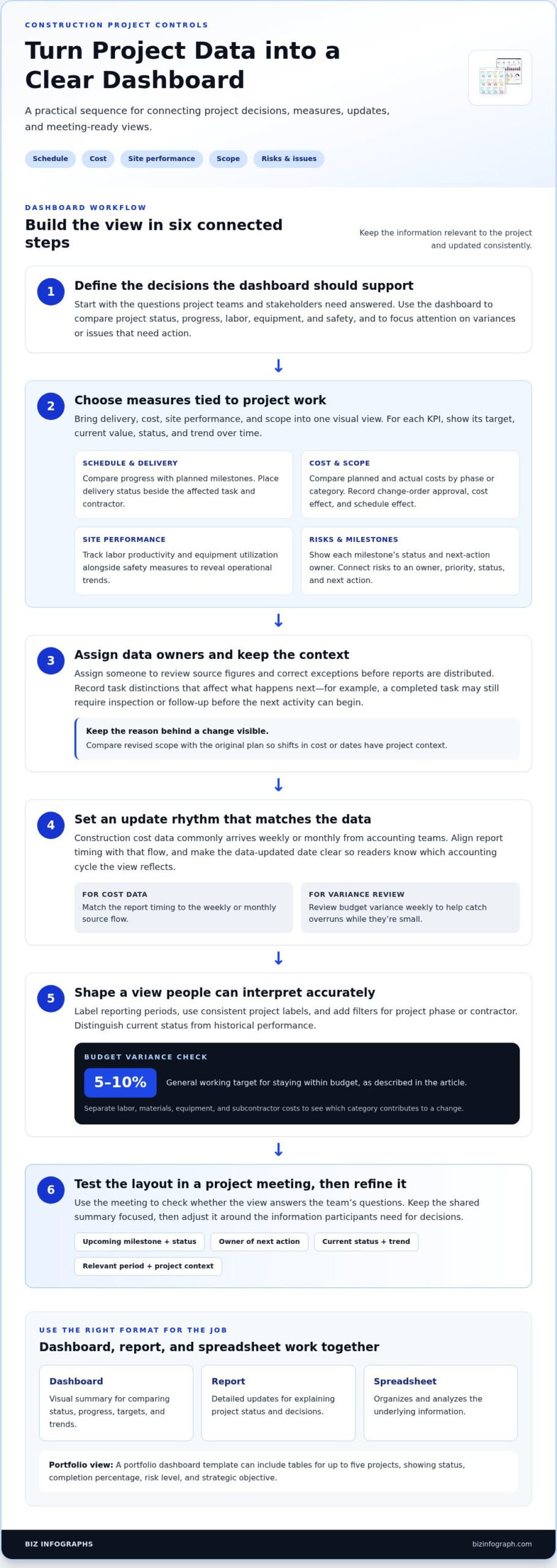
Compare planned and actual costs by project phase or cost category, then calculate the variance. A general working target is staying within 5-10% of budget, and reviewing variance weekly can help teams catch overruns while they’re small. Separate labor, materials, equipment, and subcontractor costs to see which category contributes to a change.
Record each change order with its description, approval status, cost effect, and schedule effect. Then compare the revised scope with the original plan. This makes it easier to explain why costs or dates shifted, rather than showing a changed total without project context.
Dashboard Features and Implementation
What key features should a construction project management dashboard include? Include schedule progress, milestones, KPI targets and trends, planned-versus-actual costs, scope changes, and risks or issues. Label reporting periods and use filters for project phase or contractor so readers can interpret the view accurately.
How much does construction project dashboard software cost in the United States? Costs depend on the software’s features, user access, integrations, and data needs. How do you build and implement a dashboard? Define the decisions it should support, choose consistent measures, assign data owners, and set an update rhythm. Test the layout in a project meeting, then refine it around the questions teams need answered.
Comparison with project management reports and spreadsheets
A dashboard, report, and spreadsheet each serve a different role in construction controls. Use them together to track progress, explain decisions, and keep stakeholders aligned.
Portfolio and Stakeholder Reporting
A portfolio view helps leaders compare project health without losing each project’s context. A portfolio dashboard template can include tables for up to five projects, showing status, completion percentage, risk level, and strategic objective. Charts can summarize portfolio health, project status, and strategic objectives. Stakeholders can use this view to identify which project needs discussion, then turn to its detailed report.
For project meetings, a dashboard can provide a shared weekly summary. Keep the reporting period visible, distinguish current status from historical performance, and use consistent labels across projects. This gives contractors and decision-makers a common reference point instead of separate interpretations of the same update.
Automated Reports and Subscriptions
Recurring reporting works best when the right view reaches the right audience. Set the reporting period, recipient group, and project scope, then use subscriptions or scheduled exports when available. For example, a project team may need task details, while executives need a portfolio summary. Keep measures consistent, but tailor the level of detail.
Automation doesn’t replace data ownership. Assign someone to review source figures and correct exceptions before distribution. Construction cost data commonly arrives weekly or monthly from accounting teams, so align report timing with that flow. A clear “data updated” date helps recipients understand whether a cost view reflects the latest accounting cycle.
Risk, Issue, and Case Study Reporting
Risk reporting should connect each concern to an owner, priority, status, and next action. A construction risk dashboard can show project tasks and assignments alongside priority levels, risk statuses, a timeline, and a risk-status pie chart. Use the timeline to see when an issue may affect planned work, then record its resolution in the next update.
Case studies can show how reporting supports decisions without presenting one example as a universal result. For instance, a project team might document how it identified a delayed material delivery, assigned follow-up, and updated the schedule outlook. Capture the initial issue, the action taken, and the resulting status so stakeholders can follow the sequence.
Spreadsheets remain useful for organizing source data, checking formulas, and recording detailed entries. Reports add context through written explanations, while dashboards foreground key measures and charts. Choose the format based on the task: investigate figures in a spreadsheet, explain exceptions in a report, and scan project or portfolio status on a dashboard. Excel chart formats can help present comparisons in a clear visual form.
Before sharing a view, confirm its project names, reporting dates, and measure definitions. Then test it against a real meeting question, such as which project has the highest risk status. If readers can find the answer quickly and follow the underlying details when needed, the reporting setup supports useful decisions.
Schedule Performance Index and planned-versus-actual progress
Schedule measures show whether completed work is keeping pace with the approved plan. Compare task status, milestones, and planned-versus-actual progress by phase to locate delays and understand their effects.
Schedule Performance Index
The Schedule Performance Index (SPI) compares earned value with planned value. In practice, it indicates how much scheduled work has been completed relative to what the plan expected by the same point. Use it alongside the project schedule, since one index can’t explain which task or dependency caused a gap.
For example, if a phase’s SPI signals slower progress, inspect its task-level status and milestone dates. Confirm that planned and earned value use consistent definitions before interpreting the result. This helps distinguish a genuine schedule variance from inconsistent progress reporting.
Task Status and Milestone Progress
Track each task by phase, trade, owner, start and end dates, status, and completion percentage. These fields show whether work is not started, underway, or complete, while identifying who owns the next step. A task tracker helps connect an individual status change with a milestone.
For example, if framing is underway but a follow-up inspection milestone remains pending, show both statuses together. Record the milestone’s planned date and current outlook, then flag dependencies that could affect later phases. This gives project leads a specific discussion point instead of a broad progress label.
Planned and Actual Progress
Compare the baseline plan with actual completion at consistent reporting intervals. A construction KPI dashboard can use a bar graph to display planned-versus-actual progress variance over three months. The visual makes it easier to spot when actual work starts to diverge and whether the gap is narrowing or widening across reporting periods.
Read the comparison by phase, not just as a project-wide total. A project can appear close to plan overall while one trade falls behind and another moves ahead. Break the data into meaningful work packages, and note schedule changes that alter the baseline so the comparison remains relevant.
Use a repeatable review sequence: compare actual completion with the baseline, identify tasks driving the variance, then assess affected milestones. For instance, a delayed task in a sequence of dependent work may matter more than an equally delayed task with no downstream dependency. Document the reason and next action alongside the metric.
Keep the chart connected to task details. A three-month trend can reveal direction, while task assignments and dates show where action belongs. During a project review, stakeholders can move from the overall variance to the responsible phase, task, and owner, then record the next update against the same schedule baseline.
Schedule adherence and project completion
Schedule adherence compares completed work with the approved timeline, while completion measures show how much remains. Review both alongside critical tasks, schedule changes, and current cost data to understand project status.
Schedule Health and Critical Path
Schedule adherence is a useful measure of whether work is progressing as planned. Compare actual task dates with the baseline, then examine delayed activities and their dependencies. A project-wide percentage can hide a critical delay, so review the path of tasks that determines the projected finish date.
A critical path dashboard can visualize task durations on a 100-day timeline and list each task by duration, category, milestone, and status. Use those details to see whether a delayed activity affects a milestone or sits outside the critical sequence. That distinction helps teams focus recovery planning on work that can influence completion.
Schedule compression needs a feasibility check, not just a shorter date. Review dependencies, available crews, equipment, and work sequencing before overlapping activities or changing durations. For example, adding crews to a task won’t resolve a delay if a required predecessor remains incomplete.
Live Cost and Schedule Monitoring
To monitor project status, pair schedule indicators with cost performance and completion measures. Compare planned and actual costs by phase or category, then review the related work status. This helps teams see whether a cost variance coincides with delayed progress or reflects a different issue.
Construction cost data commonly arrives weekly or monthly from accounting teams. Show the latest reporting period clearly instead of presenting older figures as live updates. For example, label the cost view with its accounting period and place current schedule status beside it so readers can interpret both measures together.
Schedule imports also need quality checks before they feed dashboard metrics. Confirm that task names, dates, status labels, dependencies, and milestones match the project schedule. Then compare a sample of imported records against the source file. Correct date or naming mismatches before they distort completion charts or critical-path views.
Use a consistent review sequence: check the reporting date, inspect schedule adherence, identify critical-path changes, and compare cost movement. Record the cause and next action beside each exception. That keeps the dashboard useful for project meetings, especially when a revised finish date depends on both schedule recovery and available resources.
Labor productivity, equipment utilization, and safety
In the United States, construction dashboards can organize daily safety entries and incident measures, helping teams monitor reporting status against project requirements. Pair these records with labor and equipment data to understand how site resources support the work.
Labor Productivity and Job Costing
Job costing brings labor, materials, equipment, subcontractor, and other costs into one view. Include hours, unit prices, and each category’s share of budget, then compare costs with completed work. For example, if labor hours rise while a task’s completion percentage stays unchanged, managers can investigate crew allocation, work conditions, or task sequencing.
Separate productive work from recorded time wherever the source data supports that distinction. This makes labor productivity measures more useful than a total-hours figure alone.
Utilization Across Crews and Contractors
Compare assigned hours, completed work, and planned crew needs by trade or contractor. A utilization view can reveal when one crew faces a backlog while another has capacity. Use the comparison to adjust allocations for upcoming tasks, rather than relying on a site-wide total that hides differences between phases.
For example, a project lead can compare available crews with work scheduled for the next phase, then review contractor assignments. Keep definitions consistent across teams so the visual comparison reflects similar work periods and responsibilities.
Equipment and Asset Management
An asset dashboard can track equipment location, assignment, status, utilization, and maintenance schedules. A general target for construction equipment utilization is 70-85% of available hours spent in productive use. Compare each asset’s productive hours with its availability, then review maintenance records before reallocating equipment to another site task.
For example, an idle machine assigned to a delayed activity may be more useful elsewhere, provided the receiving task needs it. Clear asset status gives teams better visibility when making that decision.
Safety, Compliance, and Reporting
Record safety entries daily so dashboard updates reflect current site activity. Track incident counts and use a suggested target of zero reportable incidents during the period. Display the reporting period and entry status clearly, then review open items with the responsible team. The dashboard supports organized monitoring and reporting, but doesn’t replace site safety procedures.
Keep safety measures distinct from productivity metrics. For example, a crew’s completed work and its safety entries answer different questions, even when both appear in the same project view.
Build the visual around decisions: who needs support, which equipment can be reassigned, and which safety entries require follow-up. An Excel Dashboard Template can help arrange resource and performance data into a readable view. Explore Excel Dashboard Templates to present these measures clearly and make resource discussions easier to follow.
Biz Infographs: PowerPoint Infographic Templates
Biz Infographs offers visual templates to help you present construction data clearly. Use PowerPoint Infographic Templates to turn project findings into a meeting-ready visual story, or Excel Dashboard Templates to organize key measures in a clear dashboard view. Power BI Templates and Automation Templates provide additional formats for working with and presenting data.
Choose the format that fits your next step: summarize resource trends for a stakeholder presentation, structure project measures in a dashboard, or prepare data visuals for review. The aim is to make complex information easier to scan and discuss while keeping your project’s own figures and decisions at the center.
Visit bizinfograph.com to explore the templates and find a format that suits your reporting needs.
Turn Clearer Reporting Into Your Next Project Advantage
Next, decide how your team will use project information after each update. Choose the decisions your construction project management dashboard should support, assign ownership for maintaining its measures, and make the view part of regular project discussions. A focused approach helps teams move from collecting figures to using them with purpose.
How that information is presented matters, too. Biz Infographs offers PowerPoint Infographic Templates for communicating insights, Excel Dashboard Templates for organizing data, and Power BI Templates for visual reporting. Choose a format that fits your workflow and helps your team share project information clearly.
Ready to shape a more useful visual experience for your construction reporting? Explore Biz Infographs templates and choose a starting point that supports your next project update. Every clearer view is a chance to lead the conversation with greater confidence.
Frequently Asked Questions
Can site teams and subcontractors enter data themselves?
Yes, when the project’s data-entry process gives teams appropriate access. Assign each team responsibility for specific fields, such as task status, completed quantities, or daily safety entries. For example, a subcontractor can report its assigned work while a project lead reviews updates before stakeholder reporting. A construction project management dashboard can then show approved entries alongside project information, giving teams a shared view without unclear ownership creating conflicting updates.
What schedule KPIs should construction teams monitor?
Monitor schedule adherence, planned-versus-actual progress, milestone status, task completion, and Schedule Performance Index (SPI). The useful set depends on the decisions your team needs to make. For example, pair milestone slippage with the status of dependent tasks to identify whether a delayed activity affects upcoming work. Compare indicators over consistent reporting periods and keep the schedule baseline clear when plans change.
Who benefits from this dashboard?
Project managers, site supervisors, contractors, finance teams, and owners can each use a tailored view. A site supervisor may need work assignments and daily site updates, while a finance lead focuses on costs and forecast movement. Owners often need a concise status view for project decisions. Keep shared definitions consistent across views so teams discuss the same project information without giving every audience unnecessary detail.
What does a construction project dashboard show?
A construction project management dashboard is a visual control view that brings selected project measures together for review. It helps users move from a high-level status to a specific item that needs attention. For example, a project lead can start with a delayed milestone, then inspect its tasks, assigned owners, and reported progress. It complements detailed records rather than replacing the schedules, cost documentation, or field entries behind the displayed measures.
How do construction management dashboards track budgets, costs, and forecasts?
They organize cost information by category, phase, or project and compare actual spending with the budget. To make the view useful for forecasting, distinguish recorded costs from expected future costs, then show the assumptions behind the outlook. For example, link a materials cost increase to the affected work package so decision-makers can see where the change sits within the broader project estimate.
How do construction dashboards track project schedules, milestones, and delays?
They use schedule records to show task dates, completion status, milestone timing, and changes against the planned timeline. A delay is more actionable when its cause, owner, and effect on dependent work are visible together. For example, link a missed inspection to the next activity it holds up. Keep the baseline and approved schedule revisions distinguishable so readers know which plan each comparison uses.
What construction KPIs and metrics should a project dashboard display?
Choose measures tied directly to project decisions, such as schedule progress, cost variance, milestone completion, labor hours, equipment utilization, and safety entries. Avoid filling the view with indicators that don’t prompt action. For example, a project manager reviewing resource needs may benefit more from hours and equipment status by work phase than from an overall total. Give every KPI a clear definition, owner, reporting period, and target where applicable.
What data sources and integrations do construction dashboards support?
Common inputs include project schedules, task records, accounting data, timesheets, safety entries, and equipment or asset records. A construction project management dashboard can combine these sources through connected systems, file imports, or structured manual entry, depending on the workflow. Define shared project names, dates, and category labels before combining records. For instance, consistent task identifiers help match schedule updates with cost or labor information.