
Understanding the IT and Software HR Dashboard
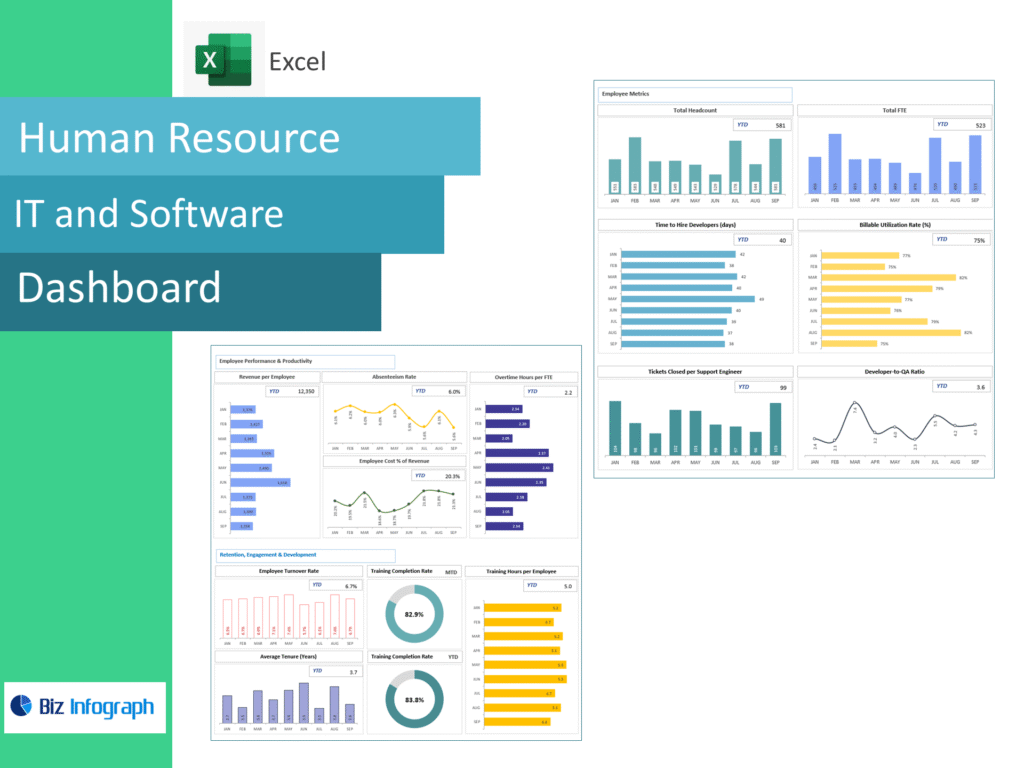
What an HR Dashboard Is and How It Delivers Workforce Insight
An IT and Software HR dashboard is a centralized visual interface that transforms workforce data into meaningful insight for HR leaders, managers, and executives. A dashboard is a tool that consolidates HR data from multiple sources—such as recruitment, performance management, and employee engagement—into one unified view. This allows HR teams to understand workforce trends, identify risks, and support strategic decisions. Unlike static reports, a human resources dashboard updates dynamically and presents information in an easy-to-consume format.
A dashboard gives organizations a clearer picture of employee behavior, workforce composition, and performance patterns. For example, metrics like employee turnover rates, retention, and diversity indicators help HR teams anticipate challenges before they escalate. In IT and software environments where talent competition is intense, this insight is critical. By converting workforce data into actionable insights, HR dashboards empower HR teams to align people strategies with business goals and drive long-term organizational success.
Role of Analytics and People Analytics in HR Dashboards
Analytics and people analytics play a central role in transforming HR dashboards from reporting tools into strategic assets. An HR analytics dashboard leverages data analysis techniques to identify trends, correlations, and patterns across HR areas such as hiring, performance, and retention. This analytical layer enables data-driven HR decisions rather than relying on intuition or anecdotal evidence.
Using analytics, dashboards allow HR professionals to examine individual and team performance, workforce diversity, and engagement levels. For example, analyzing metrics like employee turnover rates alongside performance data helps HR teams understand why employees leave and what drives retention. Analytics also support predictive insights, helping HR anticipate future workforce needs. By embedding analytics into dashboards, organizations enable modern HR practices that are proactive, strategic, and aligned with organizational priorities.
Using HR Data and Metrics to Support Workforce Decisions
HR data forms the foundation of effective workforce management. An HR metrics dashboard aggregates key HR metrics such as headcount, turnover, absenteeism, and performance indicators. These metrics provide a factual basis for decisions related to hiring, development, and retention. By visualizing HR data within the dashboard, HR teams gain clarity and confidence in their actions.
Using HR dashboards, managers and HR professionals can monitor workforce health continuously. Metrics like employee retention, productivity, and diversity help identify areas for improvement. Dashboards also support alignment between HR initiatives and business outcomes. When HR data is accessible and transparent, organizations are better equipped to make informed, timely workforce decisions that support growth and competitiveness.
HR Metrics and Workforce Analytics
Key HR Metrics Used in an HR Metrics Dashboard
An effective HR metrics dashboard focuses on a set of key HR metrics that reflect workforce performance and stability. These include employee turnover rates, retention, time-to-hire, performance ratings, and training effectiveness. Metrics like employee engagement and diversity indicators are also critical in IT and software organizations, where inclusive cultures drive innovation.
By tracking important HR metrics consistently, dashboards allow HR teams to identify trends and benchmark performance over time. A dashboard should include metrics that align with strategic goals rather than overwhelming users with excessive data. Focusing on key metrics ensures that HR dashboards deliver clarity and actionable insight. These metrics help HR teams prioritize initiatives and measure the impact of HR programs effectively.
Workforce Metrics and Common HR Metrics Explained
Workforce metrics provide insight into how employees contribute to organizational performance. Common HR metrics include headcount growth, employee turnover rates, absenteeism, and performance distribution. In IT and software environments, workforce metrics also highlight skills availability and capacity planning challenges.
Dashboards allow HR professionals to view these metrics in context, comparing trends across teams, locations, or time periods. Understanding common HR metrics helps managers interpret dashboard insights accurately and take appropriate action. By presenting workforce metrics visually, dashboards simplify complex data and make it accessible to non-HR stakeholders, fostering collaboration and shared understanding.
How HR Dashboards Turn Metrics into Actionable Insight
IT and Software HR Dashboard turn metrics into actionable insight by combining visualization, analytics, and context. Instead of presenting raw numbers, dashboards highlight patterns and anomalies that require attention. For example, a spike in employee turnover in a specific team may prompt targeted interventions.
Dashboards allow HR teams to drill down into data within the dashboard, exploring root causes and testing assumptions. This capability supports data-driven HR practices and continuous improvement. By translating metrics into insight, HR dashboards empower HR teams to move from reporting to action, driving measurable improvements in workforce outcomes.
HR Dashboard Examples and Best Practices
HR Dashboard Examples for IT and Software Organizations
HR dashboard examples demonstrate how dashboards can be tailored to IT and software contexts. Examples include dashboards focused on talent acquisition, performance management, or diversity. A typical HR dashboard example may show employee turnover rates, hiring pipelines, and performance scores in a single view.
These examples highlight how dashboards support both operational and strategic HR needs. By reviewing dashboard examples, organizations can identify best practices and adapt designs to their specific requirements. Examples also show how dashboards integrate data from existing HR systems to provide a unified view of the workforce.
Best Practices for Building the Best HR Dashboards
Building the best HR dashboards requires adherence to best practices in design, data selection, and usability. Dashboards should be concise, focusing on important HR metrics that align with organizational goals. Clarity and simplicity are essential to ensure adoption by HR teams and executives.
Best practices also include involving stakeholders in dashboard design and ensuring data accuracy. Interactive dashboards allow users to explore data without overwhelming them. By following examples and best practices, organizations create dashboards that deliver value, support decision-making, and enhance HR effectiveness.
What Makes a Best-in-Class HR Dashboard
A best-in-class HR dashboard combines strategic relevance, usability, and analytical depth. It integrates data from existing HR systems into a unified HR view and supports both operational monitoring and executive oversight. Best-in-class dashboards provide role-based views, ensuring that HR executives, managers, and teams see relevant insights.
These dashboards also emphasize data-driven HR by embedding analytics and benchmarks. By enabling exploration and customization, best-in-class dashboards empower HR professionals to act confidently. Ultimately, a best-in-class HR dashboard transforms HR from a support function into a strategic partner.
HR Dashboard Templates and Dashboard Types
Using an HR Dashboard Template for Faster Implementation
An HR dashboard template accelerates dashboard deployment by providing predefined structures and metrics. Templates incorporate best practices and reduce the effort required to design dashboards from scratch. This is especially useful for organizations with limited analytics resources.
Templates also promote consistency across dashboards, making it easier to compare metrics over time. By starting with a template, HR teams can focus on customization and analysis rather than setup. Templates provide a practical entry point for organizations adopting HR dashboards.
Dashboard Types and Interactive Dashboards for HR
There are different dashboard types designed for various HR needs, including operational dashboards, executive dashboards, and analytical dashboards. Interactive dashboards enhance these types by allowing users to filter, drill down, and explore data dynamically.
Interactive HR dashboards support deeper analysis and engagement. Users can investigate specific issues, such as high turnover in a team or diversity gaps, directly within the dashboard. This interactivity increases adoption and empowers HR teams to uncover insights independently.
Designing Interactive Dashboards for Modern HR Teams
Designing interactive dashboards requires understanding user needs and workflows. Modern HR teams benefit from dashboards that are intuitive, responsive, and visually clear. Interactive HR dashboards should balance flexibility with simplicity to avoid overwhelming users.
Features such as filters, drill-downs, and alerts enhance usability. By designing dashboards that align with modern HR practices, organizations ensure that dashboards become integral tools for workforce management and strategic planning.
Using HR Dashboards for Strategic Workforce Management
How to Use HR Dashboards to Improve Workforce Management
HR dashboards support workforce management by providing visibility into staffing levels, performance, and retention. By using dashboards, HR teams can plan workforce needs proactively and address gaps before they impact operations.
Dashboards allow HR teams to monitor trends and adjust strategies in real time. This proactive approach improves efficiency and supports organizational agility. Workforce management dashboards are essential tools for IT and software organizations navigating rapid change.
Using HR Dashboards to Support Best HR and People Analytics
Using HR dashboards supports best HR practices by embedding people analytics into decision-making. Dashboards allow HR professionals to analyze workforce trends and measure the impact of HR initiatives.
By combining analytics with visualization, dashboards enhance understanding and communication. This supports collaboration between HR and business leaders and strengthens HR’s strategic role. HR dashboards are key enablers of data-driven HR.
Applying HR Insights from Dashboards to HR Strategy
Insights from HR dashboards inform HR strategy by highlighting strengths, risks, and opportunities. Dashboards reveal patterns that guide decisions on talent acquisition, development, and retention.
By applying these insights strategically, organizations transform HR into a value-creating function. HR dashboards enable continuous learning and improvement, supporting long-term workforce success.
Conclusion
An IT & Software HR Dashboard is more than a reporting tool—it is a strategic platform that empowers HR teams to make data-driven decisions, improve workforce outcomes, and align people strategies with business goals. By leveraging analytics, interactive dashboards, and best practices, organizations can transform their HR function and achieve sustainable success.
For ready-to-use Dashboard Templates: