
Why CFOs Need Financial Services Dashboard Templates Package
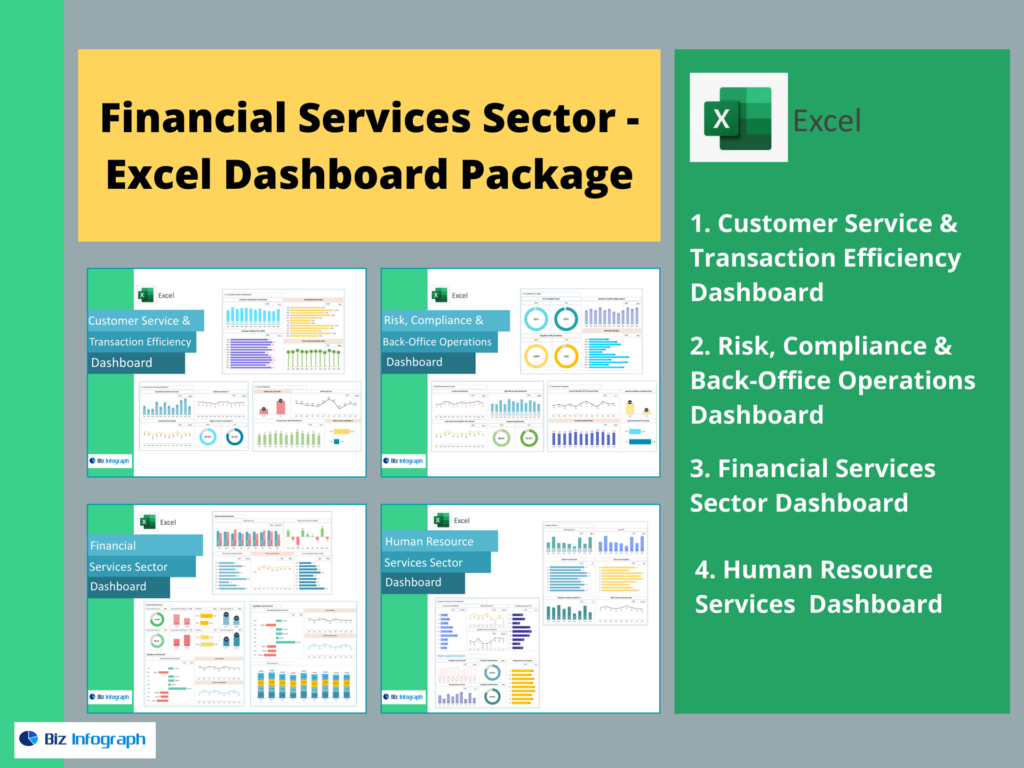
How dashboards help CFOs make faster decisions
A CFO’s job is to turn complex financial information into clarity—fast. But in today’s environment, organizations deal with large volumes of transactions, multiple revenue streams, and growing reporting demands. This is why a financial dashboard is a powerful tool for CFOs. A well-designed dashboard helps leaders make faster, smarter financial decisions by offering a real-time view of the organization’s financial performance. Instead of waiting for spreadsheets and manual consolidation, CFOs can use dashboards and reports to track performance instantly.
A modern financial dashboard provides an overview of key financial metrics including cash flow, revenue performance, AR and AP status, and overall financial stability. These dashboards are especially important in the financial services sector, where transaction volume and compliance pressure are high. A dashboard presents critical financial indicators in a single place, enabling finance professionals to assess financial trends early, identify financial opportunities, and avoid costly surprises. Ultimately, dashboards allow CFOs to shift from reactive reporting to proactive financial management, improving the company’s financial health and ensuring financial success.
Turning automated financial data into business insights
Data by itself does not create value—insights do. CFOs need finance dashboards that translate complex financial datasets into business insights that support informed business decisions. This is where automated financial dashboards become essential. With Power BI financial dashboards, CFOs can connect real-time financial data from accounting systems, banking feeds, ERP platforms, and transaction databases into one structured dashboard template.
Instead of static reporting, automated financial dashboards refresh continuously, turning financial metrics into actionable decision tools. A dashboard displays essential financial metrics such as cash flow movement, receivables aging, payables due dates, revenue growth patterns, and balance sheet status. This type of financial analytics strengthens financial stability by enabling early warnings when the company’s financial health is at risk.
Top 4 Financial Services Dashboard Templates for CFOs
CFO Executive Performance Dashboard (KPIs Overview)
A CFO Executive Performance Dashboard is the “command center” for financial leadership. It provides an overview of key financial metrics such as profitability, liquidity, revenue trends, cost trends, and financial stability indicators. This financial KPI dashboard is designed to help CFOs monitor the organization’s financial health through KPI cards, trend charts, and quick decision visuals.
Financial Services dashboard template often includes critical financial performance areas such as operating margin, net profit trend, expense ratio, working capital movement, and a high-level balance sheet snapshot. It offers a clear view of financial performance and helps CFOs assess financial status instantly.
Cash Flow Dashboard (Liquidity & Forecasting)
Cash flow is the most important survival metric. Even profitable organizations can fail without liquidity control. A cash flow dashboard helps Chief Financial Officers ensure financial stability by monitoring cash inflows, cash outflows, and liquidity buffers. This dashboard displays cash trends clearly and supports forecasting that drives smarter financial decisions.
A cash flow dashboard template typically includes cash balances, inflows by source, outflows by category, payment timing trends, and forecasted cash levels. It can also incorporate AR collection patterns and AP payment schedules. This dashboard also links cash flow performance to financial success, because liquidity enables growth and stability.
Revenue Dashboard (Growth & Profitability Tracking)
Revenue is the fuel of the organization’s financial future. A revenue dashboard helps CFOs monitor growth, profitability, profit margin, and revenue stability. It goes beyond total sales and focuses on revenue drivers, margins, revenue per product/service, and performance by segment. This dashboard provides critical financial insight into whether growth is sustainable and aligned with financial success goals.
A revenue dashboard template typically includes revenue breakdown by product, geography, client group, or channel. It also tracks revenue trends, customer churn, renewal rates, and profitability metrics. CFOs use revenue dashboards to assess financial opportunities and to detect negative trends early—like declining margins or weakening demand.
Financial Reporting Dashboard (Automated Reports)
CFOs are accountable for accurate and timely reporting. A financial reporting dashboard helps automate monthly reporting cycles and ensures consistency across dashboards and reports. It turns reporting into a streamlined system by combining income statement reporting, balance sheet reporting, and cash flow reporting in one place.
This dashboard template often includes variance analysis, month-end close status, financial statement highlights, and compliance reporting views. It also supports drilldowns into accounts—making it easier to explain changes in financial status. A dashboard provides transparency during closing and reduces the risk of errors caused by manual consolidation.
Key Financial Metrics & KPIs to Track
Core KPIs for a financial KPI dashboard
A financial KPI (key Performance Indicators) dashboard must track essential financial metrics that represent the company’s financial health. These include profitability KPIs (gross margin, net margin), efficiency KPIs (expense ratio), liquidity KPIs (current ratio), and growth KPIs (revenue growth rate). These indicators support overall financial management and help assess financial stability.
A dashboard presents these KPIs through a clear overview of key financial metrics, allowing CFOs to evaluate financial status quickly. Critical financial KPIs should also include working capital, cash conversion cycle, EBITDA trend, and net income trend. Tracking financial movement over time improves forecasting accuracy and helps identify financial opportunities.
This dashboard is designed to help CFOs make informed business decisions by connecting operational activity to financial outcomes. By using a dashboard template, organizations ensure KPI definitions remain consistent and comparable across departments. In modern financial dashboard systems, KPIs must be automated and refreshed regularly. This ensures the CFO always sees real-time financial data and can act quickly when trends shift.
Cash flow metrics for liquidity management
Liquidity dashboards must track cash flow metrics that directly affect financial stability and survival. Key metrics include cash balance trend, inflow velocity, outflow velocity, net cash position, and forecast cash runway. These are essential financial metrics for CFO decision-making.
A cash flow dashboard displays daily or weekly cash movement and highlights risks like declining inflows or high outflows. It can include “cash available vs upcoming obligations,” helping CFOs ensure financial coverage for payroll, vendors, and obligations. Tracking cash flow metrics without delays is crucial in financial services, where transactions are frequent and timing matters.
Revenue dashboard KPIs for profitability monitoring
A revenue dashboard must include KPIs that reflect growth quality—not just growth quantity. CFOs should track revenue growth rate, revenue by segment, customer acquisition trends, churn rate, average revenue per customer, profitability margin, and revenue stability indicators.
This dashboard helps CFOs assess financial success by analyzing revenue drivers and their sustainability. Tracking financial revenue patterns helps identify financial opportunities: upsell markets, high-margin services, or high-performing regions. It also allows CFOs to respond quickly to negative trends such as declining margins or rising churn.
Financial reporting metrics for compliance and accuracy
Financial reporting metrics ensure governance, trust, and compliance. These include close cycle time, number of adjustments, reconciliation completion status, variance flags, and reporting accuracy indicators. In financial services, reporting must be fast and precise.
A financial reporting dashboard supports audit readiness and internal control performance. It highlights which areas require attention, where reconciliations are incomplete, and where unusual variances exist. This dashboard provides CFOs with real-time closing progress, ensuring smooth reporting.
Power BI Financial Dashboards Template Features
Dashboard template structure in Power BI
A strong Power BI dashboard template must be clean, scalable, and CFO-friendly. The ideal structure begins with an executive overview page (KPIs summary), followed by detailed drilldown pages for cash flow, revenue, AR/AP, and financial reporting. This ensures dashboards and reports are linked within a single system.
In financial dashboards, structure is critical because CFOs require fast insights, not clutter. KPI cards, variance visuals, trend charts, and ratio dashboards should be placed in predictable locations. This enables quick decision-making and makes dashboard creation easier across multiple dashboards.
This dashboard template should also support segmentation across departments, business units, service lines, and regions. A modern financial dashboard must include navigation controls, filter panels, and drilldowns. The result is a custom dashboard experience where CFOs can explore financial status at multiple levels. A structured template ensures financial dashboards help users gain insights quickly and scale reporting efficiently.
Automated financial dashboards: refresh, filters, drilldowns
Automation is one of the biggest advantages of Power BI. Automated financial dashboards refresh on schedule and connect to data sources directly. This eliminates manual spreadsheet merging. In automated dashboards, CFOs can filter, drill down, and analyze root causes instantly.
For example, if cash flow declines, CFOs can drill down into AR collections, delayed payments, and customer segments. If expenses rise, drilldowns reveal cost categories and departments. This dashboard also supports advanced financial analysis by letting CFOs explore financial trends through interactive dashboards.
Filters allow CFOs to compare different time periods, service lines, and regional performance. Drilldowns allow deeper exploration without needing extra reports. This dashboard provides real-time financial data access and reduces reporting delays. Ultimately, dashboard software features in Power BI make financial analytics accessible and efficient for finance professionals, ensuring smarter financial decisions with minimal manual reporting time.
Financial Dashboard Examples & Dashboard Use Cases
CFO dashboard example for executive meetings
In executive meetings, CFOs need fast, clear financial reporting. A CFO dashboard example includes KPI summary cards (profit, cash, revenue), variance visuals, and trend charts. This dashboard provides an executive-friendly overview of key financial metrics.
This dashboard displays overall financial position and highlights key risks: cash shortages, AR delays, expense spikes. It also presents financial opportunities such as improving collections or reallocating cost resources. The CFO can use this dashboard to explain financial status clearly without long reports.
Revenue dashboard example for performance tracking
A revenue dashboard example includes revenue by service line, client segment, region, and time period. It highlights performance trends and growth drivers. This dashboard helps CFOs assess financial success and monitor financial stability.
Revenue dashboards are essential for financial services firms because product lines may differ widely—transaction fees, advisory income, lending interest, subscriptions, etc. This dashboard provides CFOs with a clear view of financial performance and supports financial decisions like pricing optimization or investment allocation.
Best Practices for Automated Financial Dashboards
Standardizing financial reporting and KPI definitions
Standardization is a core best practice in dashboard success. CFO dashboards must use consistent KPI definitions across departments and business units. Without standardization, financial metrics become unreliable and decision-making becomes risky.
A dashboard template ensures KPI logic is consistent. It standardizes calculation methods for revenue, margin, working capital, AR aging, AP aging, and financial performance. Standardization improves dashboard creation and makes reporting scalable across various financial dashboards.
Connecting dashboards and reports into one system
CFOs need dashboards and reports to work together—not separately. One best practice is building a unified system where dashboards connect to detailed reports and drilldown pages.
This creates an efficient reporting ecosystem. The dashboard helps CFOs navigate quickly from high-level KPIs to the exact driver behind changes. It improves financial management by eliminating duplicate reports and reducing manual reporting time.
For ready-to-use Dashboard Templates: