
Understanding the E-commerce HR Dashboard
What an HR Dashboard Does in an E-commerce Workforce Environment
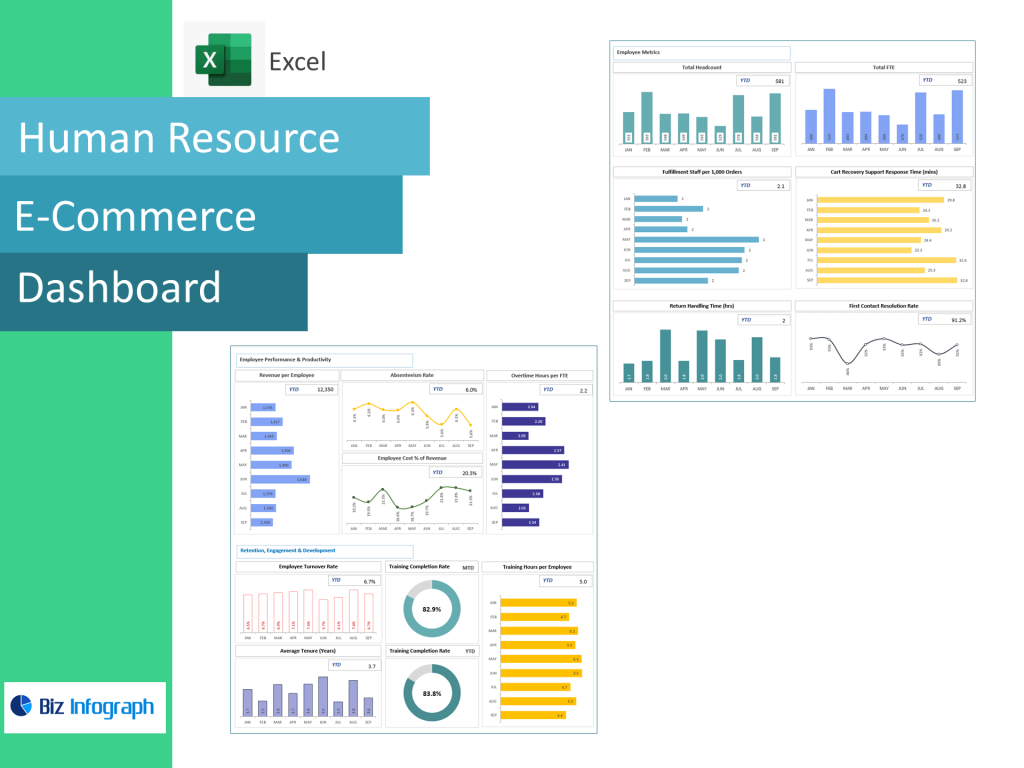
An E-commerce HR Dashboard is a tool designed to centralize HR data, simplify workforce monitoring, and streamline HR reporting for fast-moving digital business environments. Because e-commerce operations involve high-volume staffing cycles—customer service, fulfillment teams, warehouse staff, marketing units, product managers—HR leaders require quick visibility into employee performance, employee turnover, payroll distribution, hiring demand, and operational engagement levels. A human resources dashboard provides HR with one real-time system to track performance data, absence patterns, time-to-hire, and departmental output. Unlike static spreadsheets, dashboards allow HR teams to visualize productivity insights, compare employee performance across roles, and track overall employee satisfaction more accurately.
Using HR dashboards also reduces manual reporting effort because regular reporting enables HR to analyze patterns instead of simply collecting numbers. This speed is critical in e-commerce, where workforce demand shifts with product launches, seasonal sales, and peak logistics periods. The HR dashboard is a tool that turns HR data into decision-ready insight, helping HR executives measure hiring efficiency, training progress, and labor cost trends. As a result, HR departments gain a clearer view of employee activity and performance drivers, allowing faster response to workforce challenges and better employee experience outcomes.
Key Capabilities of an HR Dashboard for HR Leaders
The key capabilities of an HR dashboard revolve around workforce visibility, decision-readiness, and operational monitoring. HR leaders need access to accurate, timely data, and the dashboard provides real-time insight into workforce capacity, performance review cycles, tenure distribution, compensation-to-output ratios, and demographic breakdowns for diversity analysis. Key capabilities of an HR dashboard include visualizing HR metrics and KPIs in dashboards and HR reports, tracking headcount changes over time, analyzing cost of employee per department, and monitoring hours worked by one employee to understand productivity balance.
Dashboards allow HR teams to compare seasonal hiring demand against sales forecasts, helping them allocate resources effectively without over-staffing or burnout. Real-time insights into employee trends also help reduce turnover risk by letting HR spot early warning signals like absentee spikes or declining performance scores. HR dashboards and HR systems also support cost analysis initiatives—identifying where labor expenses rise and how productivity can improve. Ultimately, these dashboard capabilities empower HR leaders to make informed decisions backed by measurable workforce performance intelligence rather than assumptions.
HR Dashboard Examples Showing Real-Time Insights and Reporting
Powerful E-Commerce HR dashboard examples illustrate how HR analytics provide visibility into recruitment funnels, onboarding timelines, turnover percentage, and salary-to-productivity ratios. One dashboard example could be a recruitment dashboard that visualizes time-to-hire, source of hire, cost per employee acquisition, and applicant conversion rates across hiring channels. Another example is a diversity dashboard, showing representation across gender, role level, skill category, and team distribution—allowing HR to track progress on inclusivity goals. An HR executive dashboard may also highlight payroll allocation, cross-departmental performance distribution, and overall employee engagement trends.
Common HR dashboards for e-commerce also include attendance trend visualization during seasonal peaks, labor cost allocation across warehouses, and turnover prediction charts. Each example demonstrates how dashboards make HR analytics usable and strategic. HR reporting improves because dashboards track data consistently rather than relying on delayed monthly updates. By viewing HR processes visually, HR leaders quickly identify issues such as overtime concentration, department overload, or training completion delays. These examples help HR executives replicate best HR dashboard models that accelerate workforce stability, reduce cost, and unlock performance improvement across teams.
HR Metrics, KPIs and Performance Measurement
Key Performance Indicators (KPIs) and Key Metrics to Track
Tracking key workforce metrics is essential for smart workforce planning. An HR KPI dashboard should include key HR metrics such as turnover rate, time-to-hire, absentee frequency, internal promotion rate, hours worked by one employee, overtime usage, onboarding completion score, total cost of employee per function, and productivity-per-headcount output. These KPIs reveal whether HR strategy aligns with business goals, specifically in fast-scaling e-commerce environments where order volume spikes directly affect workforce performance.
HR metrics and KPIs also help detect organizational health issues early. For example, high absenteeism combined with low performance review scores may indicate workplace fatigue. Meanwhile, improving onboarding time or upskilling participation may correlate with higher productivity and overall employee satisfaction. Tracking these metrics allows HR teams to connect HR data with business outcomes, strengthening retention and employee capability development. KPIs don’t simply report—they forecast potential challenges and highlight improvement opportunities before they escalate.
Employee Performance Evaluation, HR Data Accuracy and Performance Review Metrics
Performance review measurement is one of the strongest values of a human resources dashboard. With centralized HR data, HR departments track performance review completion rates, productivity growth, peer evaluation scores, skill development progress, and manager feedback distribution. Performance dashboards also give HR visibility into low-performance clusters, often linked to new hires, training gaps, or workload mismatch. Insights into employee performance help HR leaders create targeted interventions, coaching programs, or workload balancing adjustments before issues hinder operations.
Maintaining HR data accuracy is essential. A dashboard that pulls clean, structured HR data from HR systems ensures decision-making is based on fact rather than assumption. Tracking these metrics improves fairness in performance review cycles because HR executives compare employee performance to objective metrics instead of subjective observation. As an output, workforce recognition, promotions, and development planning become more equitable and measurable—strengthening overall workforce morale and accountability.
Using HR Reporting and Analytics for Better Human Resources Decisions
HR reporting is not just documentation—it is the backbone of workforce optimization. With hr analytics, HR teams can extract insights from your HR operations and convert them into reportable trends. Analytics dashboards track historical workforce movement patterns, highlight turnover trends, and reveal relationships between role type, compensation, and satisfaction. Regular reporting enables HR to observe progress over time rather than react to sudden fluctuations.
Analytics also support data-driven HR strategy adjustments. An HR dashboard is a tool that helps HR teams identify peak hiring months, burnout cycles, and training engagement levels, enabling the business to scale workforce supply alongside growth. When dashboards provide structured visualization, data transforms into strategy—boosting engagement, lowering turnover, and improving operational consistency.
HR Dashboard Templates, Software & Feature Design
HR Dashboard Template Structure for Standardized Reporting
An HR dashboard template helps HR departments build dashboards faster by providing structured KPI panels, workforce data tables, and graphical layouts. Templates reduce configuration effort, especially for HR leaders without dedicated analytics support. A good HR dashboard template should include sections for performance review outcomes, cost per employee breakdown, HR KPIs, turnover signals, onboarding status, and efficiency metrics.
Templates also support consistent reporting across multiple HR dashboard types such as recruitment dashboards, diversity dashboards, and onboarding dashboards. A dashboard in Excel or cloud-based dashboard software can leverage templates to generate standardized workforce insights without extensive development. Templates allow HR to scale reporting quickly while maintaining consistency in visualization, metric definitions, and historical comparisons.
Dashboard Features That Enable Effective HR & Human Resource Visibility
Dashboard features determine usability and insight quality. Essential dashboard features include dynamic KPI cards, real-time trend graphs, performance segmentation, department comparison panels, and filtering by role level or location. For human resource teams, the value of a dashboard is tied to how well features translate raw HR data into actionable context. Effective HR dashboards should also include alerts for rising overtime, falling performance, or retention risk indicators.
Dashboards allow HR teams to monitor real-time workforce fluctuations, track recruitment efficiency, and evaluate employee lifecycle patterns. Advanced dashboards may integrate predictive analytics to forecast workforce demand and training needs. Effective dashboards visualize data in a way that HR leaders and non-technical managers easily interpret, improving communication and decision alignment company-wide.
HR Dashboard Software and Tools to Create Your HR Dashboard
HR dashboard software enables HR teams to build custom dashboards, automate reporting, and integrate HR systems without manual processing. Tools such as Power BI, Looker Studio, Tableau, and Excel support KPI visualization and multi-dataset integration. For e-commerce organizations with large workforce operations, software automates HR reporting, saving hours of manual effort weekly.
HR dashboard software typically includes data connectors, customizable widgets, drill-down analysis, and export capabilities. These features help HR executives analyze cost, productivity, and satisfaction from multiple angles. Using HR dashboards ensures faster insight cycles, improved compliance, and more consistent HR strategy execution. The right dashboard software doesn’t just report—it transforms HR into a measurable performance engine.
Best Practices & Strategy Alignment
Best Practices for Building the Best HR Dashboard
The best HR dashboard is built with clarity, relevance, and strategic grounding. Best practices include choosing only relevant HR metrics, designing clean layouts, grouping KPIs by function, and ensuring refresh frequency supports decision speed. Dashboards should eliminate noise and highlight trends that matter to HR leaders. Another best practice is adopting regular reporting frameworks so dashboards reflect change, progress, and risk in consistent intervals.
Best HR dashboards also incorporate multiple HR dashboard types into a unified system. A human resources dashboard should include at least four modules: recruitment, performance, payroll cost, and retention trend panels. This ensures HR leaders get a full view of employee lifecycle health.
Designing Dashboards That Support HR Strategy and Workforce Alignment
To support HR strategy, dashboards must align with organization goals—growth, scalability, efficiency, and workforce satisfaction. Dashboards and HR systems should be structured so that every metric represents an action, not just a number. For example, turnover dashboards highlight risk segments, onboarding dashboards support knowledge transfer speed, and diversity dashboards guide inclusion progress.
Dashboards encourage alignment by showing how HR processes impact performance, cost, and output. HR leaders gain a holistic view of employee lifecycle behavior, allowing them to adjust policy, workload, and training programs with precision. When dashboards visualize HR outcomes clearly, HR strategy becomes proactive, measurable, and scalable.
Creating Your HR Dashboard for Real-Time, Insightful HR Decision Support
Creating your HR dashboard requires defining KPI categories, integrating HR systems, and designing visualizations that convert complexity into clarity. HR dashboards must generate real-time insights into employee activity, enabling HR to react quickly to staffing needs, burnout signs, or hiring gaps. When dashboards track trending signals consistently, decision-making becomes faster and more confident.
An HR dashboard should evolve as the business scales—adding more panels, deeper segmentation, and predictive intelligence. It becomes not just a reporting tool, but a decision ecosystem that supports continuous workforce optimization. With real-time analytics, HR leaders drive cost reduction, performance improvement, and employee satisfaction growth at the same time.
For ready-to-use Dashboard Templates: